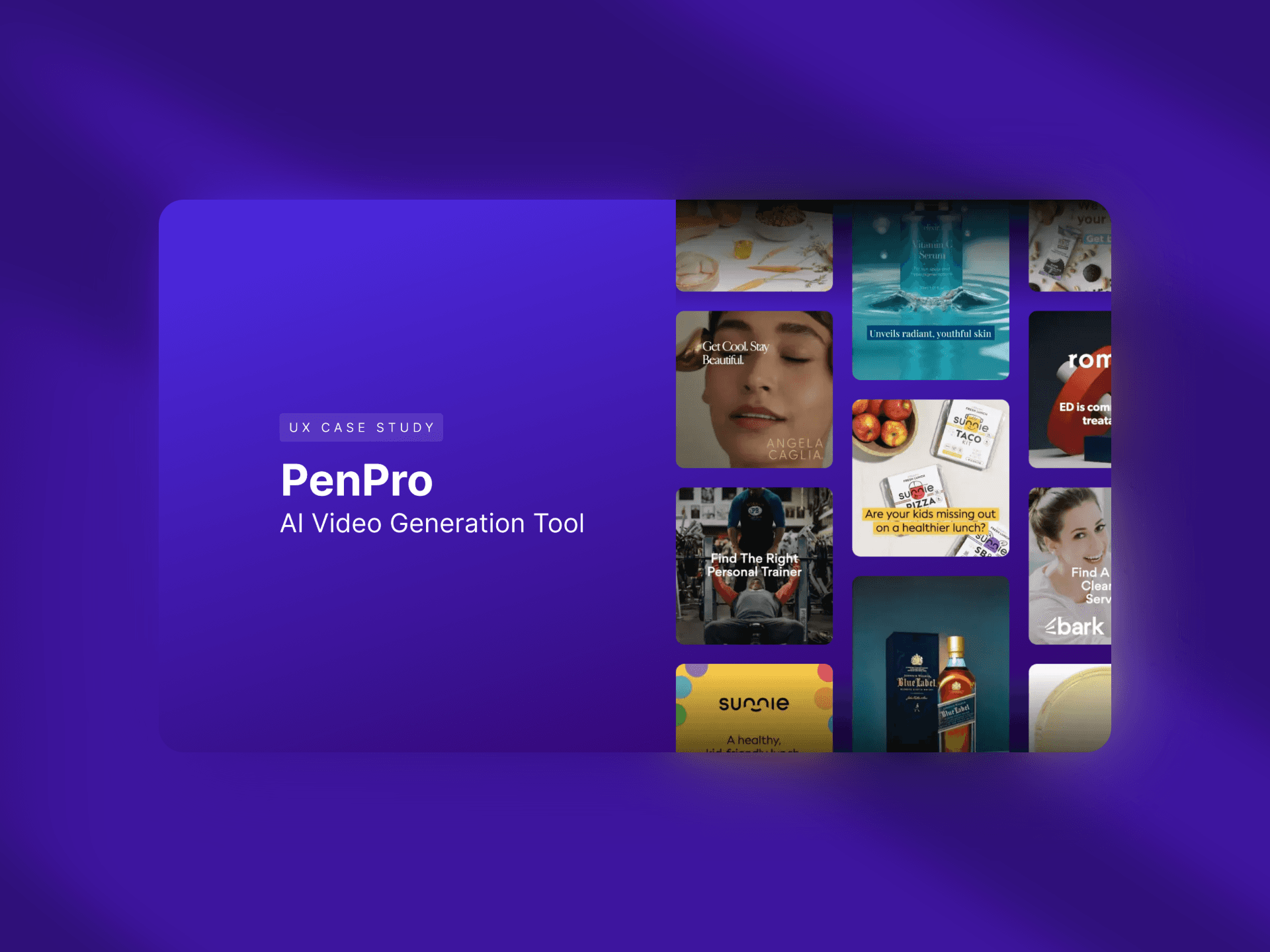
PenPro | AI Video Generation Tool
Disclaimer
All names used in this case study as fictitious in compliance with an NDA. I am happy to provide additional details in a one-on-one conversation.
Platform overview
The tool was built for the world’s No. 1 Gen AI marketing platform, which serves over 5,000 clients globally. With more than 1,000,000 AI-generated ad creatives already produced on the platform, the addition of the AI Video Generation tool enhances its capabilities further, positioning the platform as a leader in AI-driven marketing solutions.
Overview
The AI Video Generation tool revolutionizes video creation by enabling users to generate custom videos using image and text inputs. Equipped with advanced post generation features such as trim, expand, loop, and extend, the tool empowers users to customize outputs tailored to their needs. Designed for a diverse audience—from small business owners to enterprise clients—it streamlines video production, eliminating reliance on stock assets and offering access to multiple Gen AI models under one platform.
Problem Statement
Developing an AI Video Generation Tool that enhances our existing products by ensuring the incorporation of text-to-video, image-to-video, and video-to-video (in future) capabilities. Video creation is often hindered by limited access to diverse stock assets and the high costs of multiple subscriptions. Users needed a scalable, intuitive solution that could generate custom, high-quality videos with minimal effort.
Design Process
Research
User Insights
Conducted interviews with the creative team and customers to understand workflows and pain points.
Competitive Analysis
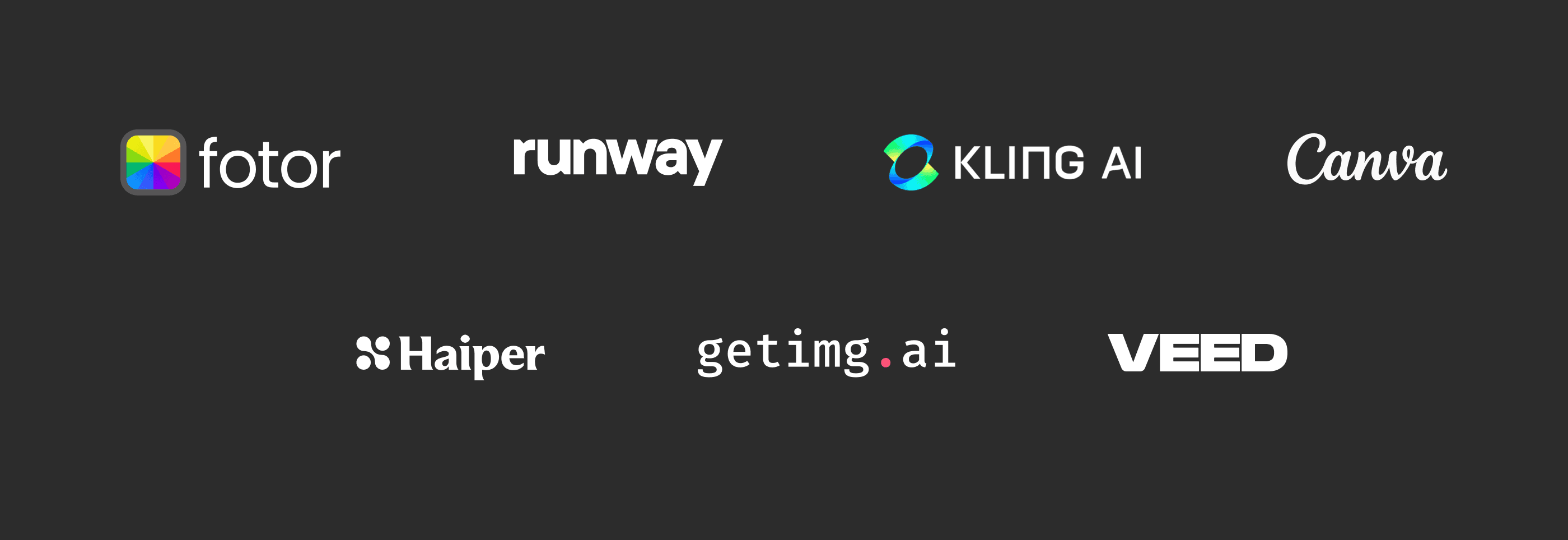
Reviewed market-leading AI tools to identify gaps and essential features, ensuring our tool delivered a competitive edge.
Technical Exploration
Collaborated with engineers to understand API capabilities and constraints.
Key Findings
Challenge
Users struggled with finding relevant video assets for creative ads and similar to image generation there was a need for video generation consistent with their brand identity.Opportunity
Simplify video generation with intuitive tools and AI-powered features.
Ideation & Prototyping
Brainstorming
Explored features like advanced video settings/controls for better customization. Explored options to integrate image-to-video and text-to-video in the same side panel.
Prototyping
Developed high-fidelity prototypes, refined based on iterative feedback from stakeholders and user testing.
Iterations
Adjusted for technical feasibility, review comments, user preferences, and evolving requirements.
Collaboration & Communication
Stakeholder Engagement
Regular syncs with the CEO, CTO, and product manager ensured alignment on goals and priorities.
Engineering Collaboration
Worked closely with developers to address technical challenges and ensure feasibility.
Feedback Integration
Proactively gathered input during reviews and adapted designs accordingly.
Business Impact
Success Metrics
In beta testing, the tool facilitated over 6,000 successful video generations.
Revenue Influence
Secured funding for a major partnership by demonstrating the tool’s capabilities to enterprise clients.
Market Alignment
Enhanced the platform’s positioning as a leader in AI-driven marketing solutions.
User-flow
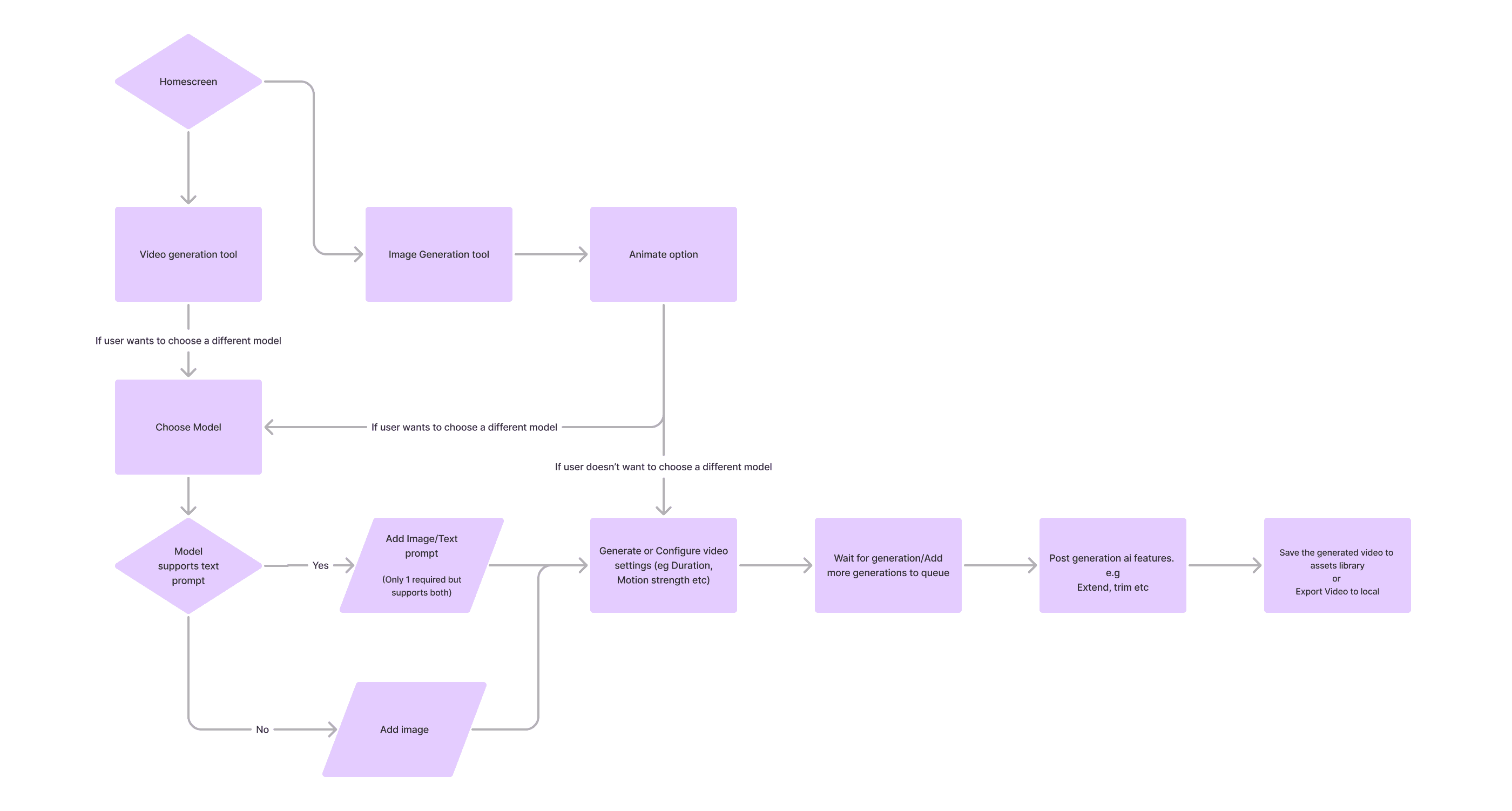
Visual Design Highlights
Touch points for Video generation
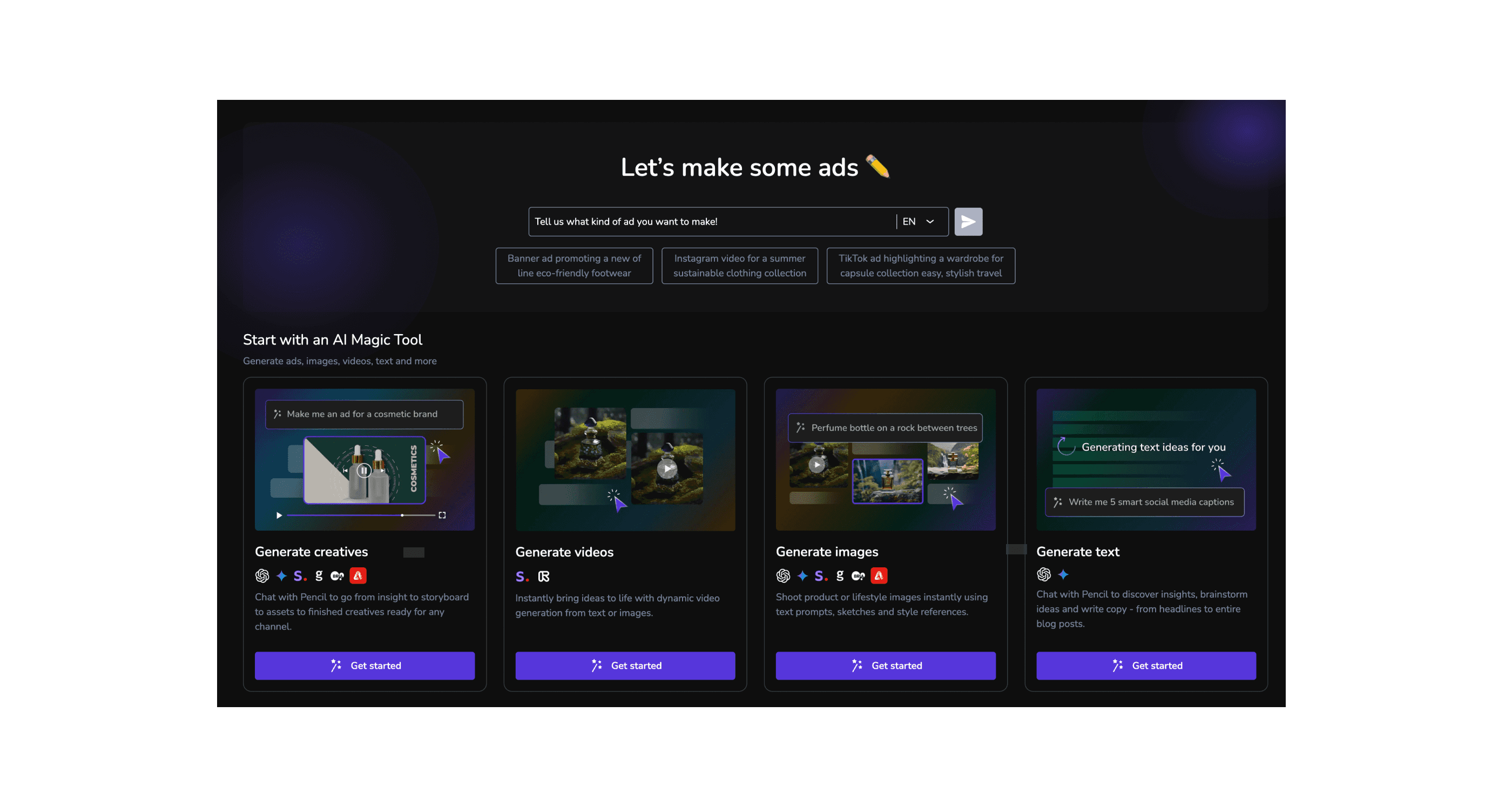
We added a touchpoint on the home screen to enhance the discoverability of the video generation tool.
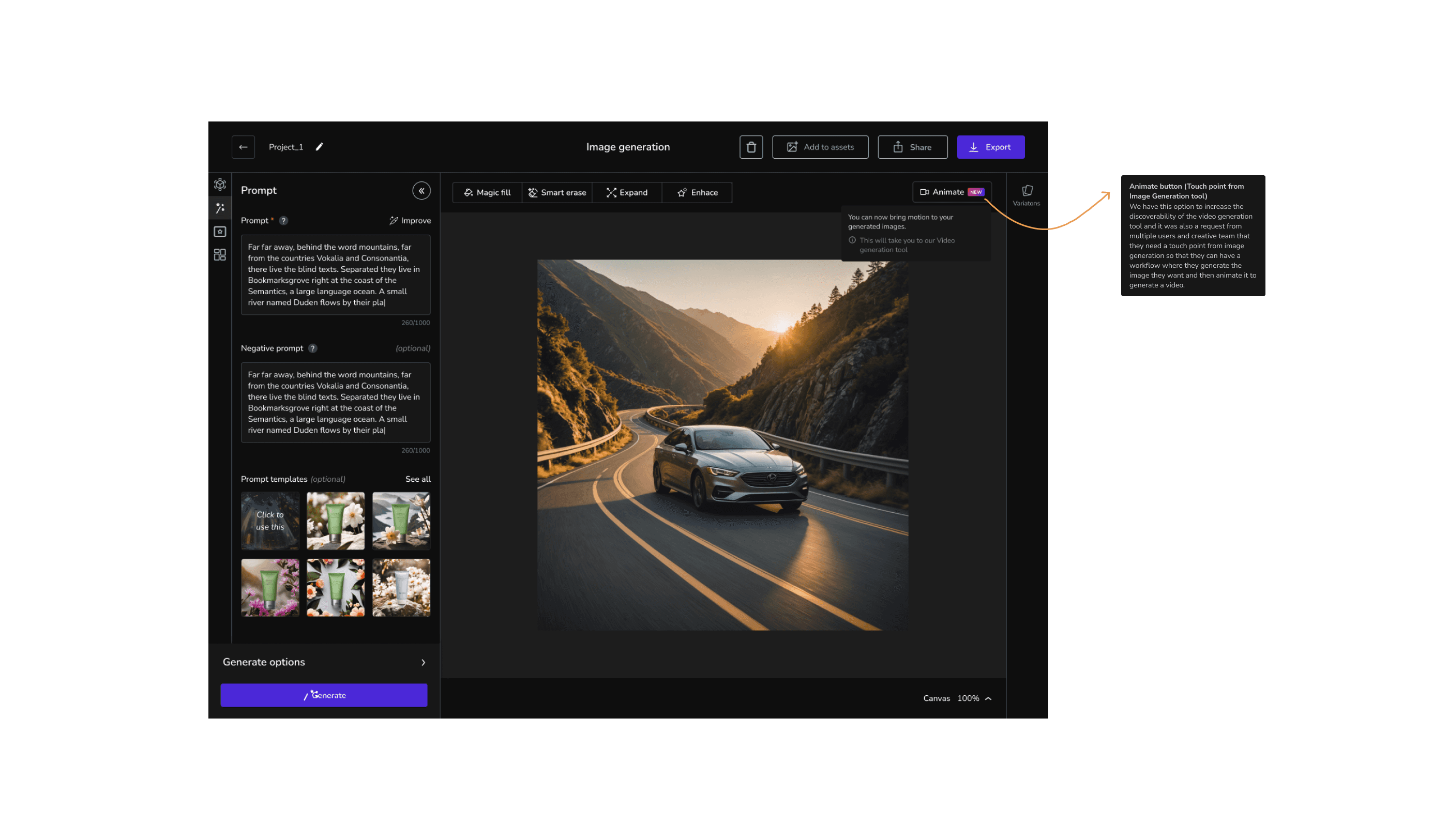
The "Animate" button (Touchpoint from Image Generation tool) was introduced to improve the discoverability of the video generation tool. This feature was implemented in response to requests from multiple users and the creative team, enabling a seamless workflow where users can generate the desired image and then animate it to create a video.
New loading screen
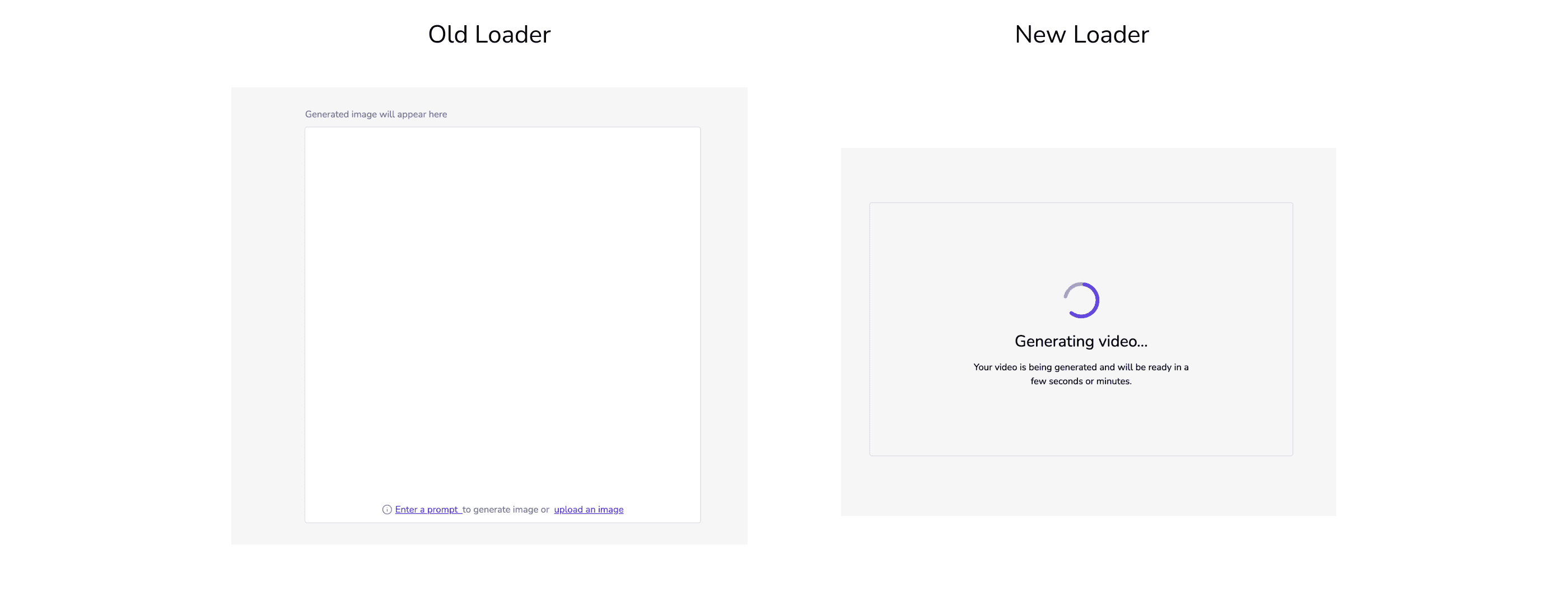
I redesigned the loader screen during generation to address the shortcomings of the previous version, which lacked progress indicators. The old design left users guessing about what was happening or whether the UI had broken, as it failed to provide visible feedback.
New empty state screen
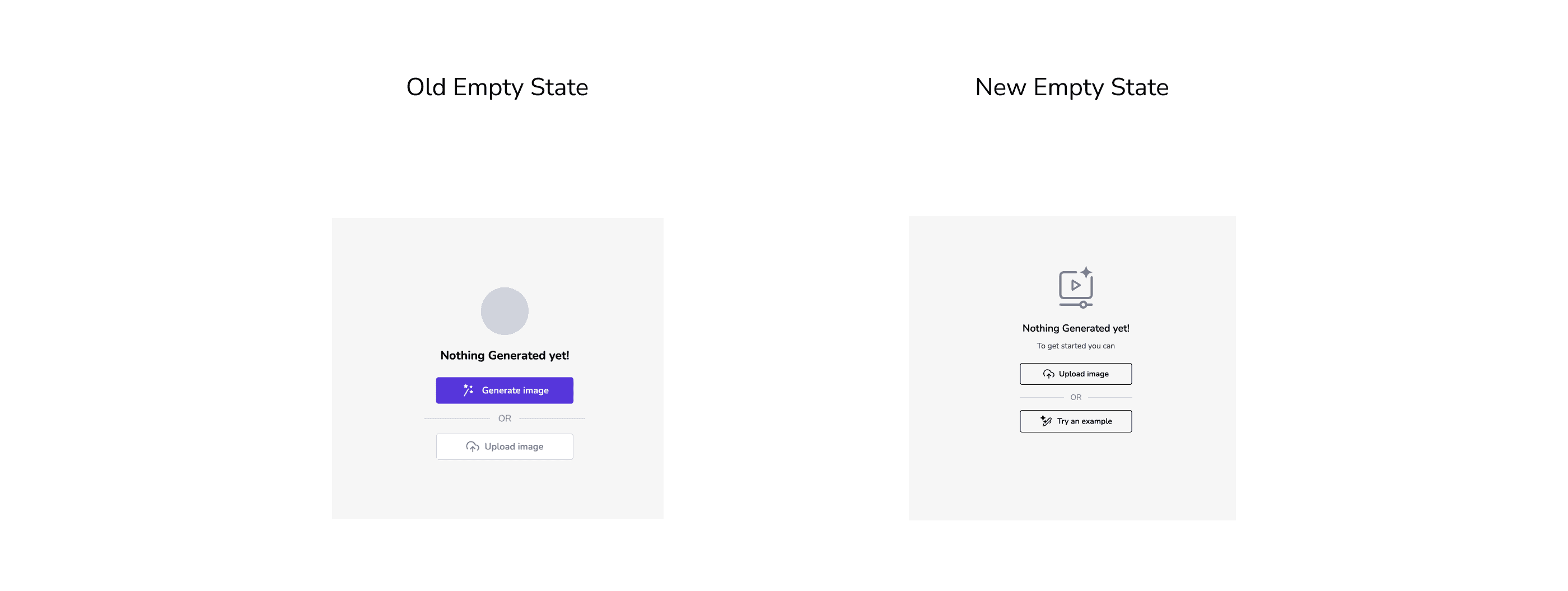
We updated the empty state screen to include example use cases, allowing users to explore and try out the feature. Additionally, we replaced the icon in the empty state to enhance visual clarity.
Video settings/Controls
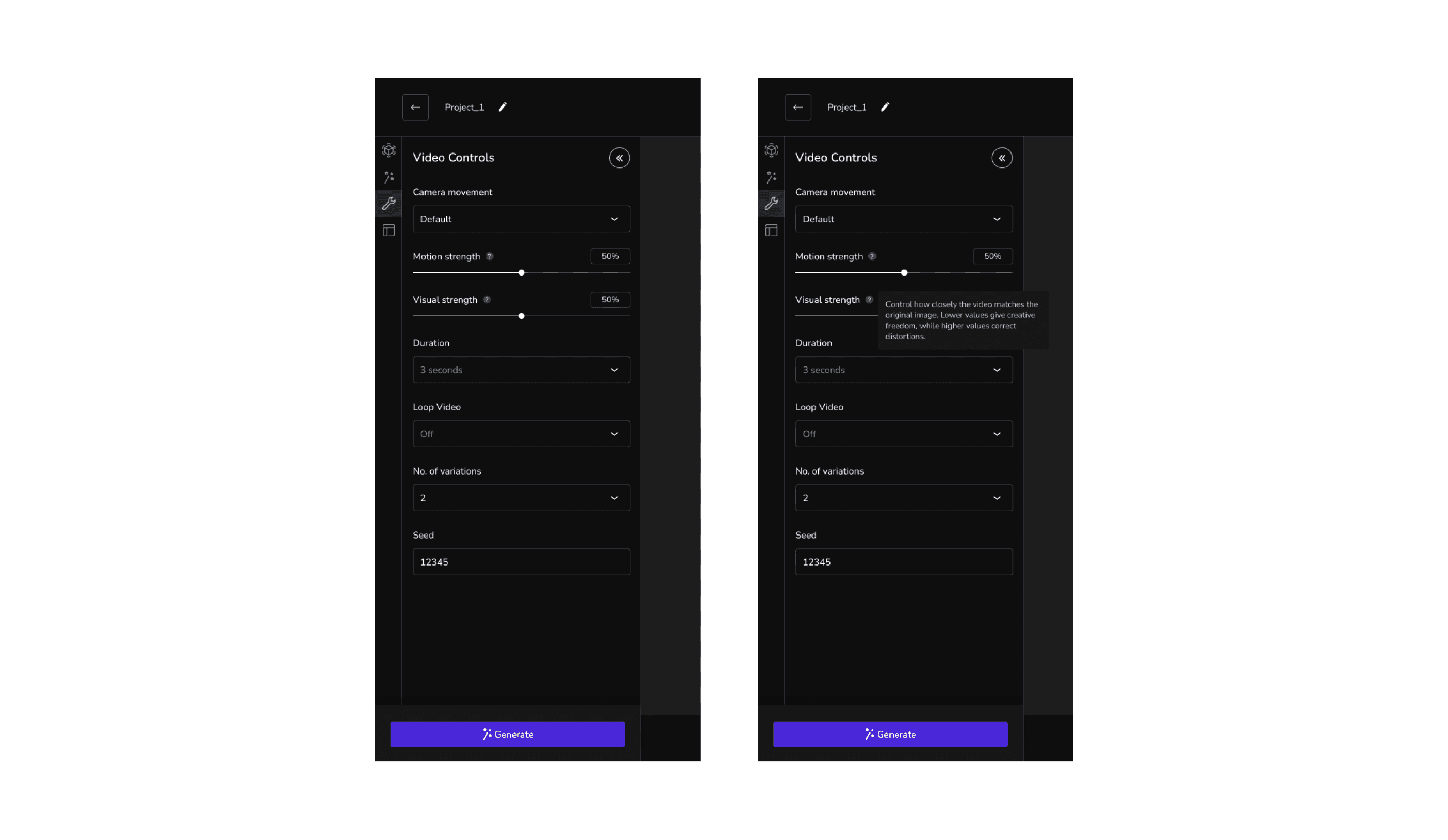
We implemented a new video controls panel to accommodate the varying settings and customization options supported by different models. This panel is also designed to be adaptable for future models, ensuring long-term scalability.
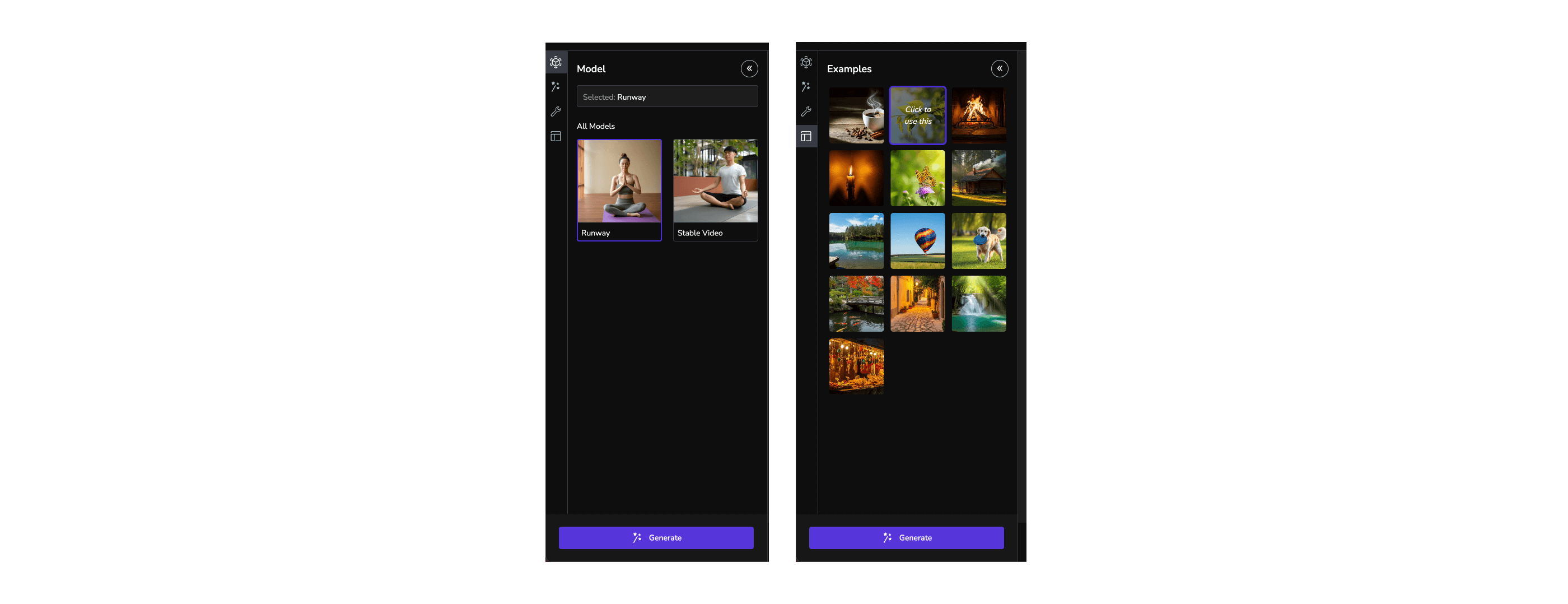
Model Selection and Example screens
Video Generation screens
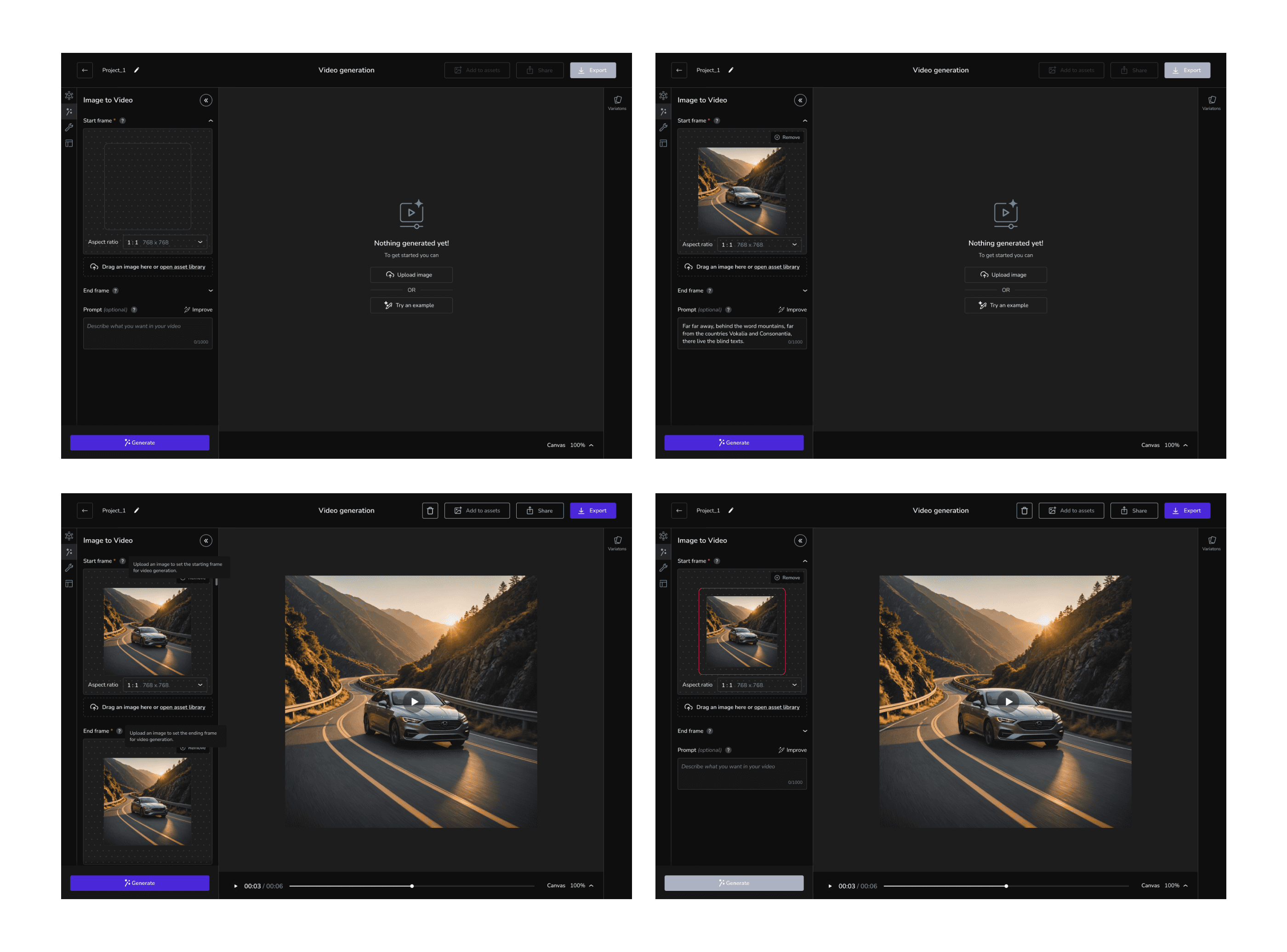
The main video generation tool offers features tailored to specific models. For models like Luma and Runway, we provide options for setting Start and End frames, allowing users to upload images for these parameters. However, models such as Stable Video do not support End frames or Text prompts. To maintain consistency across the platform's UI, these unsupported inputs are disabled when Stable Video is selected.
Additionally, if an uploaded image has a cropped aspect ratio or does not align with the safe zone indicated in the image panel, the "Generate" button is disabled. In such cases, an error message prompts the user to correct the image before proceeding.
Discarded screens for Image upload
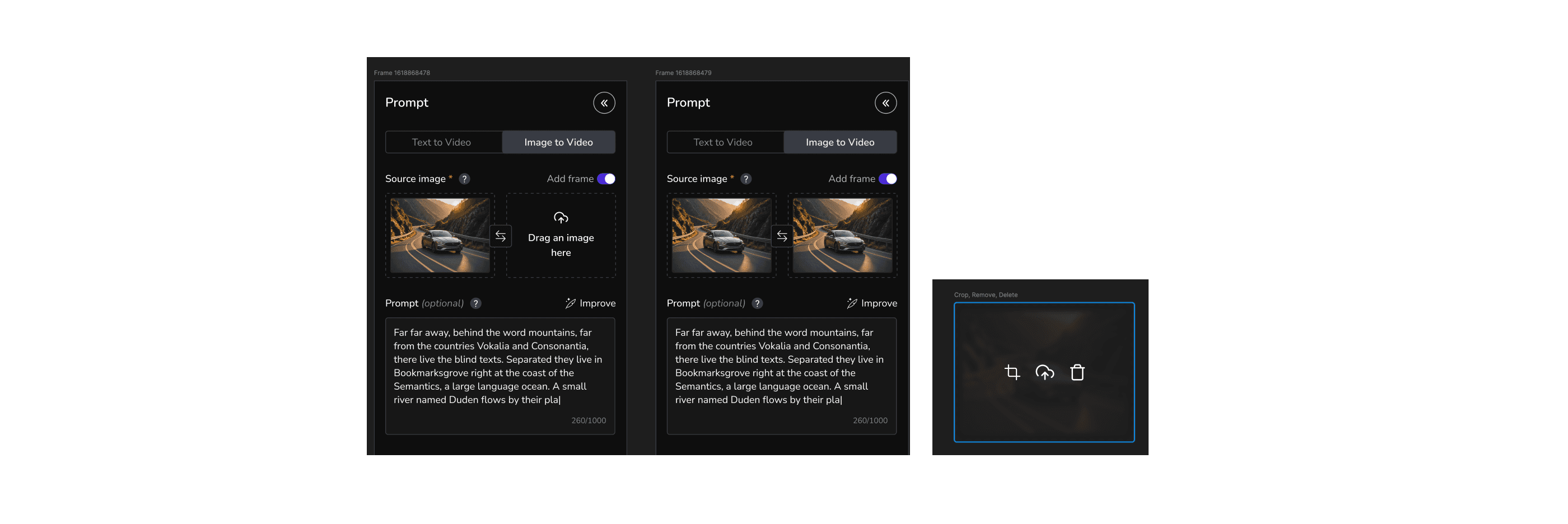
I designed a variation for the frame upload feature, allowing users to choose whether to add a frame, thereby saving space in the left panel. This variation also included options to swap images for the start and end frames, along with new interactions for re-uploading, deleting, and cropping images. However, implementing this as a completely new component would significantly increase development time, especially since we only had one front-end developer. Additionally, there were challenges with swapping images and some API errors. As a result, we decided to discard the idea for now. However, the founders appreciated the concept, and we may revisit this UI in the future.
Future scope
The current design is considered an MVP (v1), with plans for significant improvements in v2. These enhancements include:
New Post-Generation Tools
Features like loop, split, extend, and enhance videos.
UI Usability Fixes
Addressing known usability issues, currently being resolved in the Image Generation tool, to ensure a consistent and intuitive experience in Video Generation.
Integration of New Models
As additional models are whitelisted for public use, they will be incorporated to expand user capabilities.
These updates aim to solidify the tool’s position as an industry leader while addressing evolving user needs and technological advancements.
Reflections & Learnings
Personal Growth
Deepened expertise in AI tool design and user-centered methodologies.
Team Recognition
Received commendation for delivering a scalable, intuitive solution within tight deadlines.
Future Opportunities: Identified areas for further innovation, such as expanded customization options and additional AI model integrations.